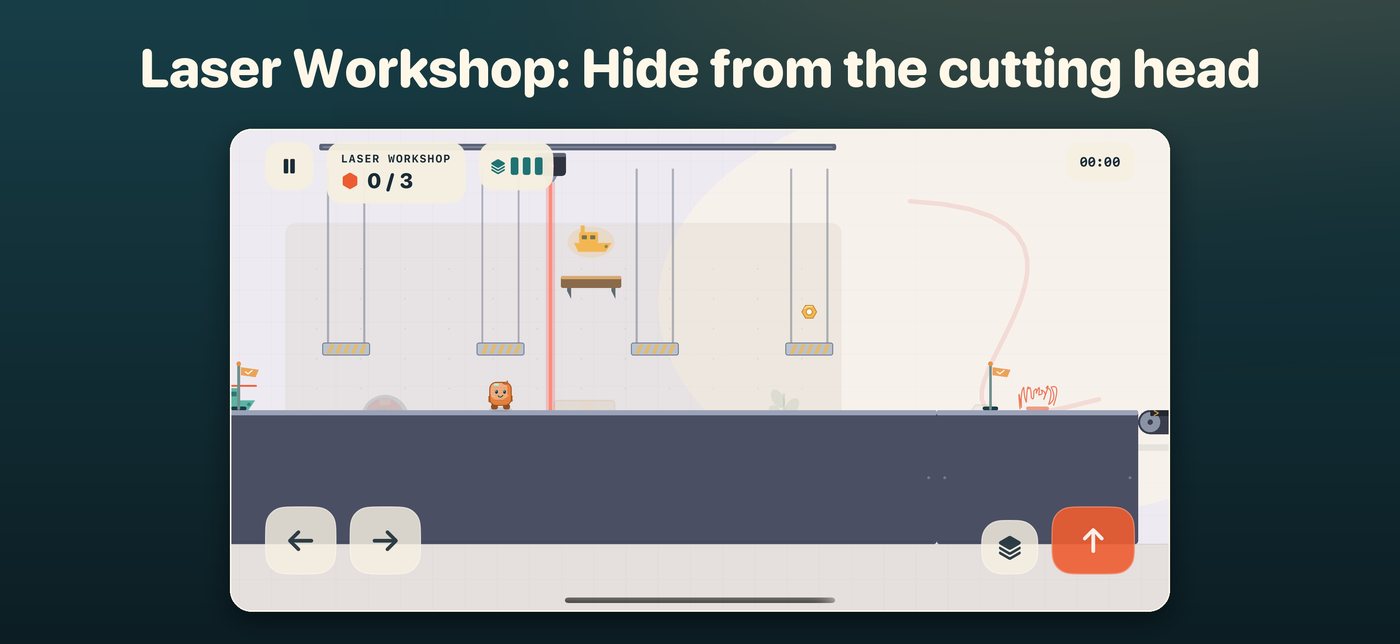

A small workshop adventure

Benchbound

You play a 3D misprint that fell off the print bed and is looking for a way out: across workbenches and spool shelves, through the printer room and the laser workshop, past the Spaghetti Printer and into the measuring room, where the caliper decides: scrap or released?

Coming soon to the App Store

For Mac, iPhone and iPad. No ads, no account, no tracking.
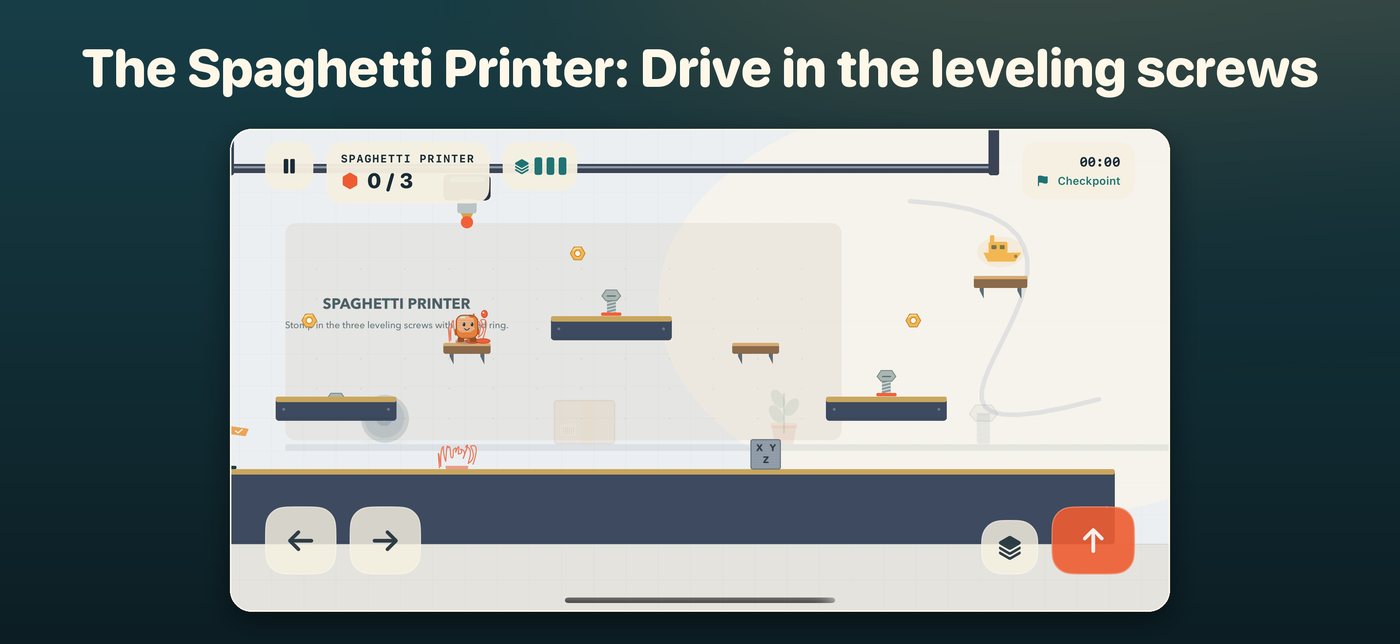
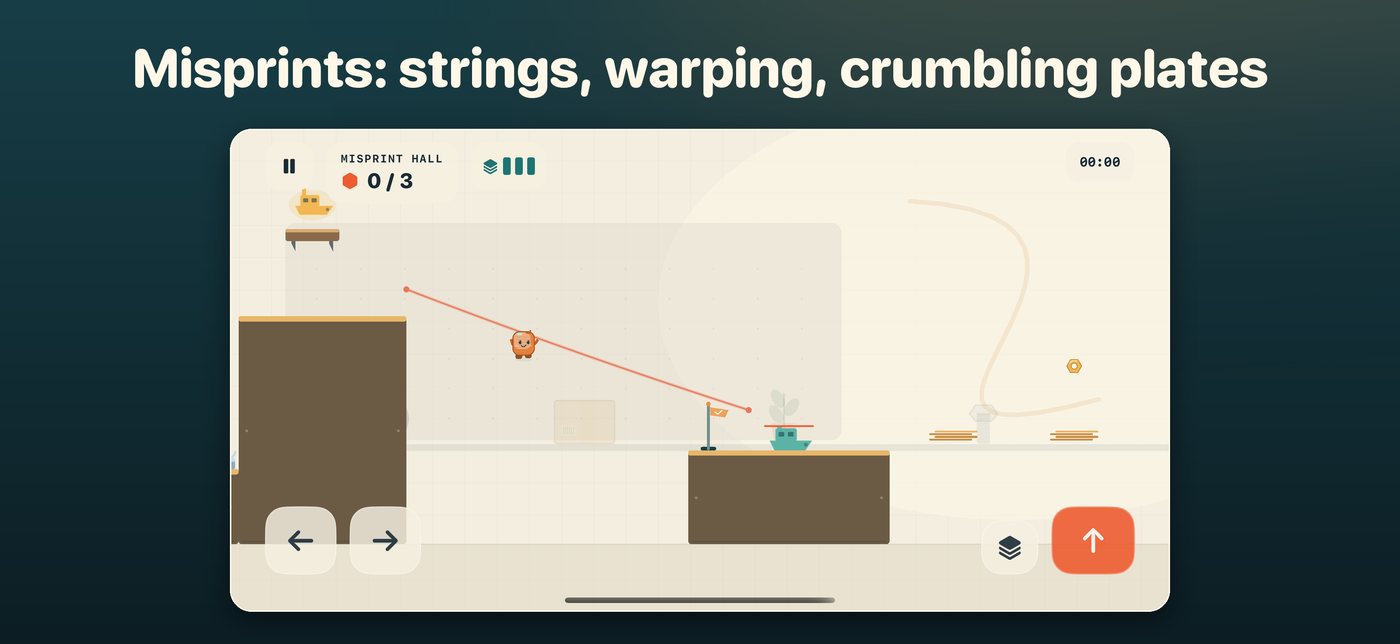
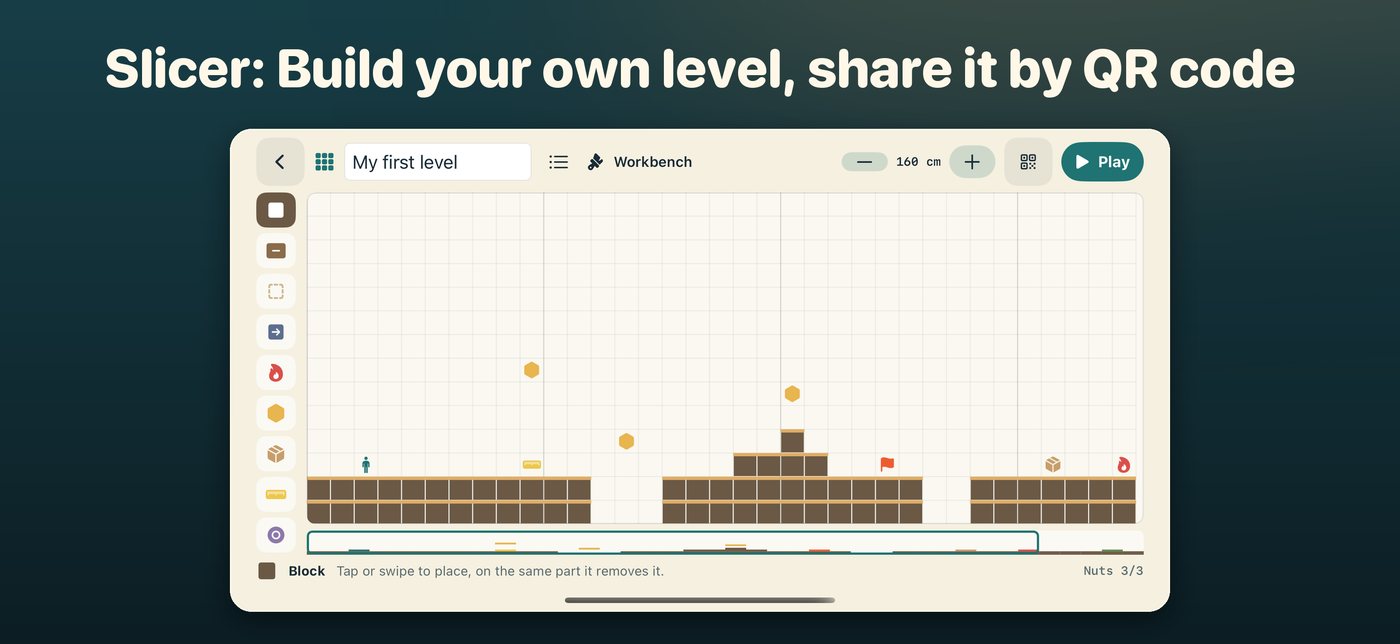
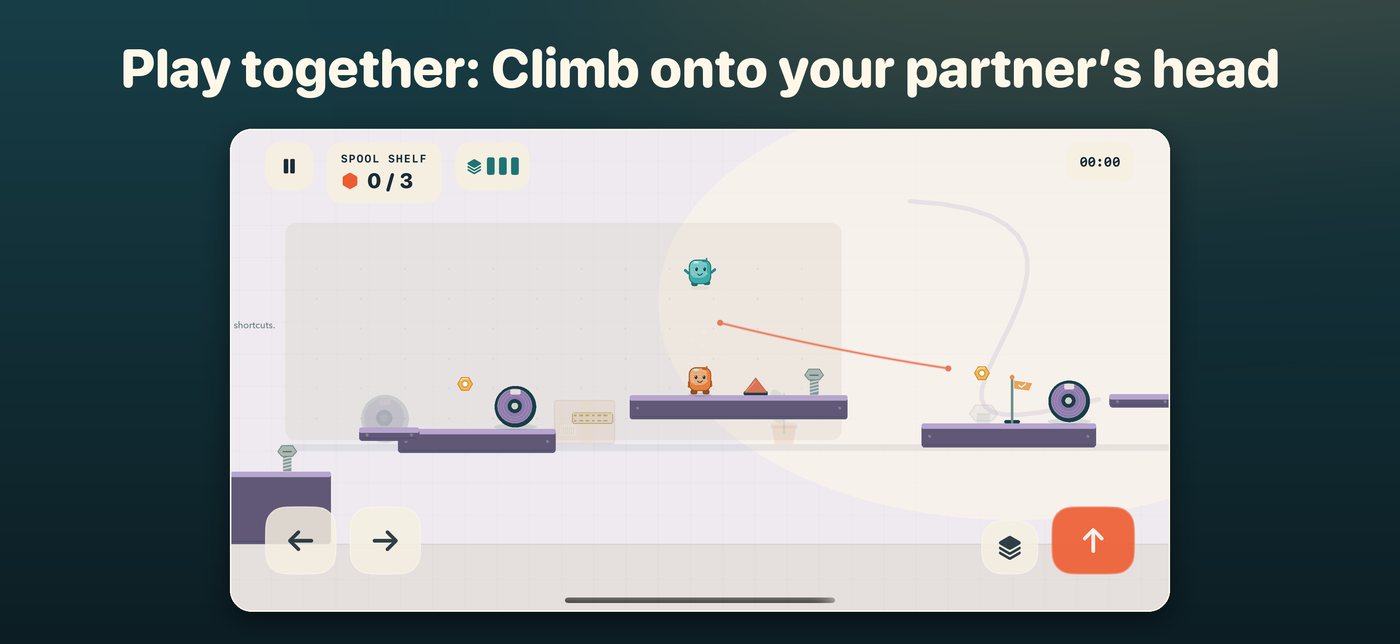
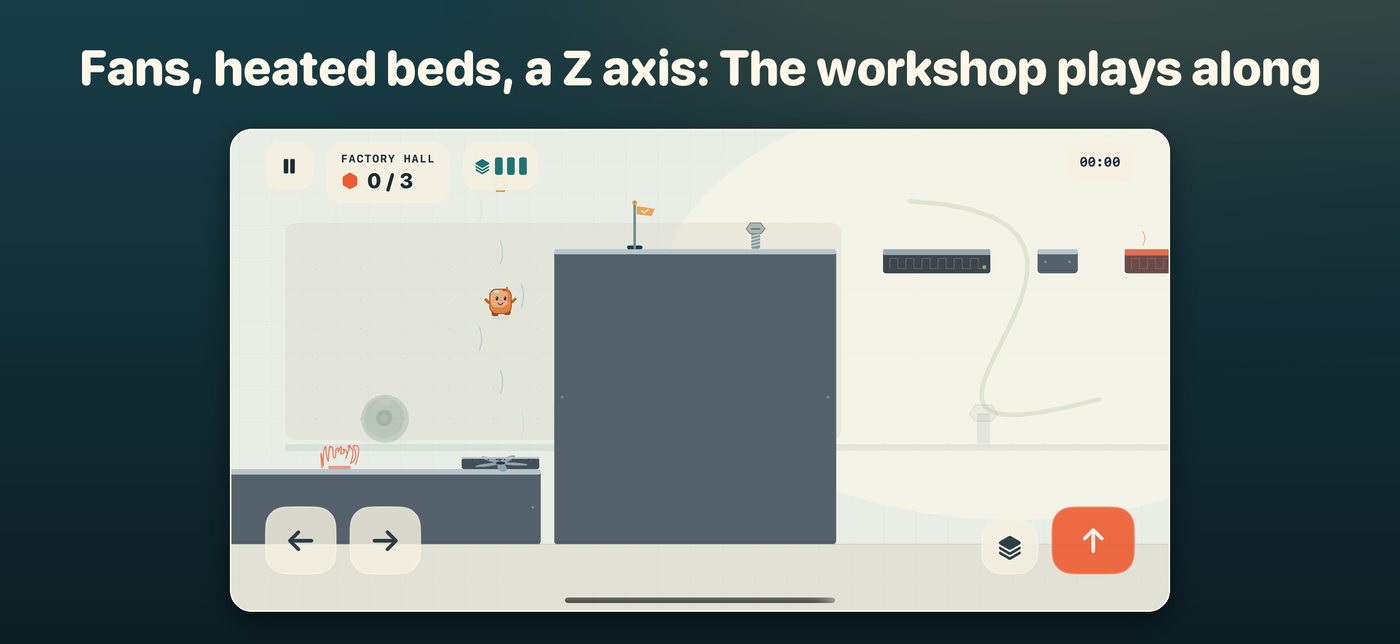
The Spaghetti Printer Misprints: strings and crumbling plates The Slicer, a level editor Playing together The factory hall The laser workshop

What is inside

29 levels in five chapters

A small story from the workbench to the final inspection in the measuring room. Every chapter ends with a boss, from the Tape Gun past the Spaghetti Printer to the Coordinate Measuring Machine. Three golden nuts and a hidden calibration boat in every level.

Other processes

Sticky resin and UV plates in the resin lab, a laser that sinters bridges into powder, TPU to bounce on, acetone that dissolves you and a caliper as a bridge.

Print a support

Too high? Print a support while standing and step up. After a few seconds it breaks away again.

Misprints in your way

Under-extruded plates crumble, warped ones bend up, layer shifts jump sideways and filament strings turn into zip lines.

Slicer

Build your own levels from blocks, belts, crumbling plates and rulers and share them as a short code or QR code.

Play together

With a game controller you play the levels as a pair. Climb onto your partner's head and jump even higher.

Five endless modes

Conveyor, Daily Belt, Print Tower, Sorting Station and Delivery, with leaderboards in Game Center.

Medals and achievements

Bronze, silver, gold and the Symtix time for fast runs, plus 16 achievements in Game Center.

Fair and private

No ads, no purchases with real money, no tracking. Your progress stays on your device.
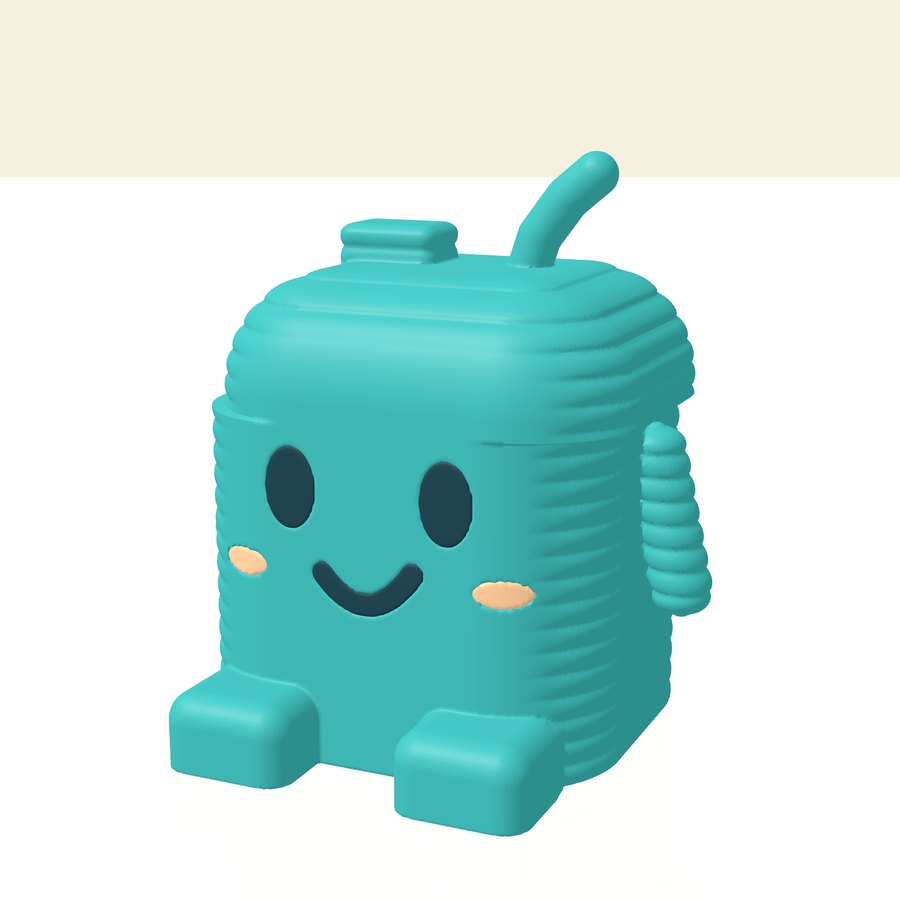
Print the mascot

The Benchbound mascot as a 3D model

The little misprint is also available for your desk: 58 × 48 × 61 mm, printable without supports, with thick print layers, a small layer shift and the Symtix logo underneath. Single color as STL or multicolor as 3MF with three parts (body, face, cheeks) for AMS and MMU.

PLA or PETG, 0.2 mm layer height, 3 walls, 15 % infill, about 30 to 40 g of filament.
For private use, non-commercial (CC BY-NC 4.0).

The game has more printables: a keychain, a nut coin, a mini caliper, the Spaghetti Printer as a cable holder and the inspection podium “42,00 mm”. Buy them with nuts in the workshop shop or win them in the game. The stackable support set is free, and the mascot stands on top.

Privacy

Last updated: October 2026

This page describes which data Benchbound processes, where that data stays, and how to reach us with questions. The privacy policy of this website (German) applies to the website itself.

Controller

Symtix UG (haftungsbeschränkt)
Mohnstieg 40, 37077 Göttingen, Germany
Email: info@symtix.eu
Represented by: Luis Pardo, Managing Director

Principles

Purchase and download via the App Store

Purchase, download, payment and updates are handled by Apple’s App Store. Apple processes the data involved under its own responsibility; the Apple Privacy Policy applies. We do not receive any information from Apple that identifies you personally. If you have agreed on your device to share analytics with app developers, Apple provides us with aggregated usage statistics and crash reports.

Benchbound by Symtix (Mac, iPhone, iPad)

Benchbound is a game. It does not send any data to us and contains no ads and no analytics tools. Music and sounds are generated by the app itself.

What is stored only on your device
Your progress: best times and medals, nuts collected per level, golden calibration boats found, the records of the endless modes (for the Daily Belt per day), the nut account, the unlocked filament colors, your own levels from the Slicer and your settings (sound, music, vibration, buttons, display). Everything is kept in the app's protected area on the device, on the Mac in ~/Library/Containers/eu.symtix.benchbound. Nothing is synced between your devices.
Game Center (optional)
If you are signed in to Game Center on the device, Benchbound reports your endless mode records to the leaderboards and your progress on the achievements. Apple's Game Center handles this; we do not receive this data. What Apple processes is governed by Apple's privacy policy. Without Game Center the game works the same, just without leaderboards and achievements.
Sharing levels
A level built in the Slicer only leaves your device if you share it yourself: as a text code, as a QR code or through the system share sheet. The code contains only the level (name, setting and the placed parts). There is no server for this: whoever opens the code or the link (benchbound://) stores the level on their own device.
Game controllers
If you connect a game controller, Benchbound only reads its buttons and sticks for control.
App Store privacy label
We receive no data from the app. Our App Store privacy label therefore reads “Data Not Collected”.

Your rights

As our apps do not transmit any data to us, we hold no personal data about you through the apps. If you write to us (e.g. with a support request), the information and rights set out in the privacy policy of this website (German) apply to that message.

Support

Questions, bugs or suggestions about our apps: info@symtix.eu. It helps if you include the app name, the version number (on the Mac in the app’s “About …” window), the device and its system version and a short description of what happened.

Refunds for App Store purchases are handled by Apple: reportaproblem.apple.com.

Benchbound FAQ

The buttons cover the floor or are too small.
Open the settings with the gear in the main menu: there you set the button size and opacity and can move the jump button to the left side.
How do I print a support?
While standing: on the Mac with S or the down arrow, on iPhone and iPad with the support button on the right, on a game controller with X. The support lifts you up one step and breaks away after a few seconds. Three charges refill on their own.
How do I play with a game controller?
Connect the controller in the Bluetooth settings of your device. Benchbound detects it automatically: the stick or d-pad moves, A jumps, X prints a support, the Menu button pauses. On iPhone and iPad the on-screen buttons fade while you use the controller.
How do we play together?
Connect a game controller and “Play together” appears in the main menu. Player 1 uses the keyboard or the on-screen buttons, player 2 the controller; with two controllers each has their own. Whoever falls too far behind is brought along, and from the other one's head you jump higher.
What do the medals mean?
After every level your time earns bronze, silver, gold or the Symtix time, our own best mark. The level selection shows your best medal next to your best time.
How do I share a level from the Slicer?
In the Slicer, tap the QR code symbol at the top: there you see the QR code and the text code and can copy or share it. Scanning the QR code with the camera opens the level directly in Benchbound. Paste a text code in the Slicer under “My levels”, “Enter code”.
What are the nuts for?
Every nut you collect goes to your nut account (top right in the main menu). Use it to unlock filament colors for the mascot. There are no purchases with real money.
I am stuck in a level.
Every spot can be done with the normal moves. Look for things that play along: cartons can be pushed as a step, screws stomped in from above, a ruler flings you higher, a spool on a shelf unwinds a rope when you bump the shelf from below, and the draft of a fan lifts you up. If a ledge is too high, print a support.
Can I 3D print the mascot?
Yes. The Benchbound page has the mascot as an STL file and as a multicolor 3MF file, printable without supports, plus the free support set. More printables (keychain, nut coin, mini caliper, cable holder, inspection podium) are in the game's workshop shop, for nuts or as a prize.
How do I reset my progress or delete my data?
In the settings with “Reset progress” (best times, medals, records, golden calibration boats, nuts and filament colors; your settings and your own Slicer levels stay). To remove everything, delete the app on iPhone and iPad; on the Mac also delete the folder ~/Library/Containers/eu.symtix.benchbound.

Reporting security vulnerabilities

If you have found a possible security vulnerability in one of our apps, please email security@symtix.eu. It helps if you include the app name, the version number, the device and its system version and a description of how to reproduce the issue.

This information is also available in machine-readable form in our security.txt file.

All Symtix apps